Customized Workflows Tailored For Your Unique Business Needs

Zuper is the most flexible and customizable field service management solution available today! Our extensive features and functionality are combined with access for business users to quickly and easily customize workflows to suit your business needs.
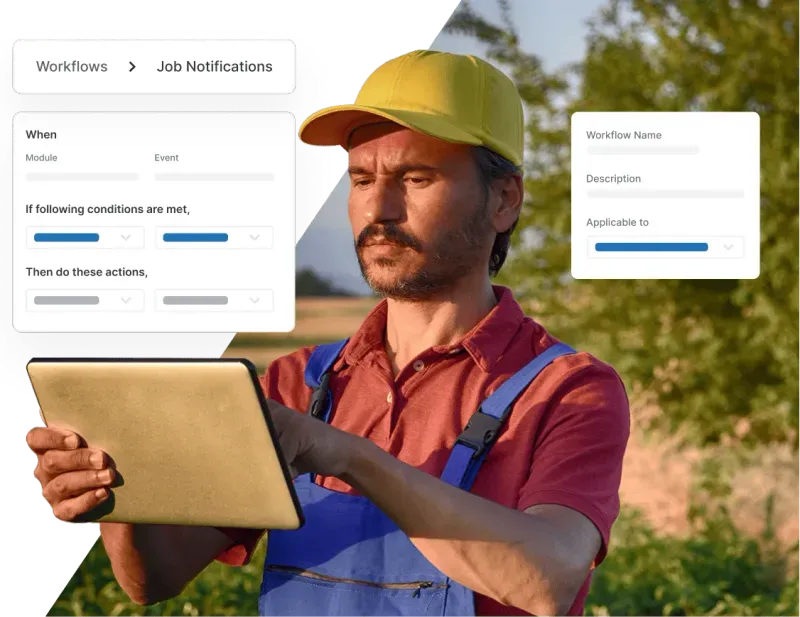
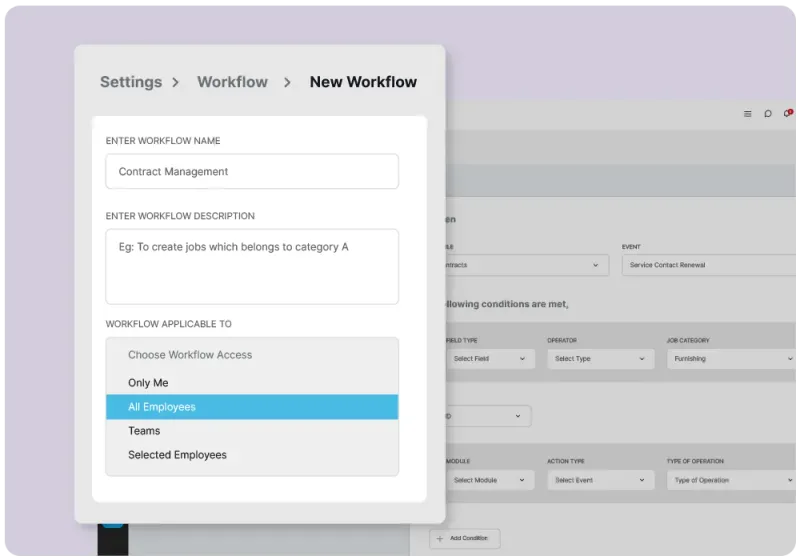
Customized workflow builder showing configurable job stages and automation rules

Fully Configurable And Easy To Use Workflow Management

Reduce costs, increase workforce utilization, and boost asset performance with highly customizable workflows tailored to your needs. Get organized, streamline processes, improve productivity, and drive efficiencies for your field operations.

Manage Complex Workflows Easily With Dynamic Business Rules

There’s a better way to manage workflow approvals from quotation approval to parts/services utilization than email or spreadsheets. Zuper FSM software solution allows you to easily set up customizable approval flows for everything from work orders to payment collection and workforce management.

  • Set up custom filters and assign tasks by technician, location, due date, status, and priority level with complete audit trails
  • Configure the job details checklist to include photos, videos, or files and communicate with built-in chat and commenting features
  • Cut down on admin tasks and email with customized forms that auto-assign tasks
  • Configure and automate scheduling of technicians based on customizable criteria such as geographic proximity, availability, and skills
Workflow management dashboard showing multi-stage job progress and team assignments
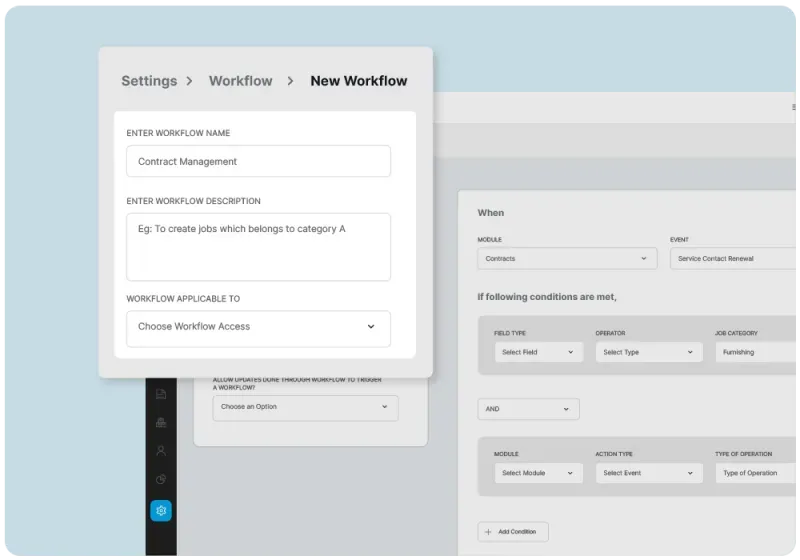
Zuper FSM configuration screen showing custom workflow settings and role permissions

Customize Your Zuper FSM To Fit Your Unique Processes

Every field service business has its own way of doing things. Zuper's flexible configuration options let you tailor the platform to your specific needs—without the need for custom development or costly integrations. Build the workflows your team actually uses, and watch productivity soar.

  • Create a seamless customer experience from end-to-end with integration to HubSpot, Zoho CRM, SalesForce and other leading CRM systems
  • Optimize your service requests and ticketing processes with real-time sync to Zendesk, Service Hub and more
  • Connect to QuickBooks, Zoho Books or other accounting apps for the ultimate estimating, invoicing, and payments experience
  • Improve customer experience by integrating with your favorite communication and collaboration apps

Create Checklists And Custom Fields For Your Unique Workflows

Tailor checklists, processes, and fields to meet your organization’s specific needs. Add or remove steps from checklists, and make fields required, read-only, or hidden. Automate tasks and improve data collection for seamless workflows.

  • Choose from a variety of templates or configure your own fields for your organization's specific needs
  • Add an unlimited number of custom fields, forms, and views
  • Frictionless documentation with photos, pdfs, videos, and files helps you avoid rework
  • Set up multiple user assignees and permissions for better collaboration
Mobile checklist interface showing technician completing on-site inspection fields
Analytics dashboard showing workflow performance metrics and operational insights

Get More Out Of Your Data With Actionable Reports And Personalized Dashboards

Gather actionable insights and make informed decisions with customizable reports and dashboards. Our out-of-the-box reports are created for the business user to access, use, and report on quickly and easily.

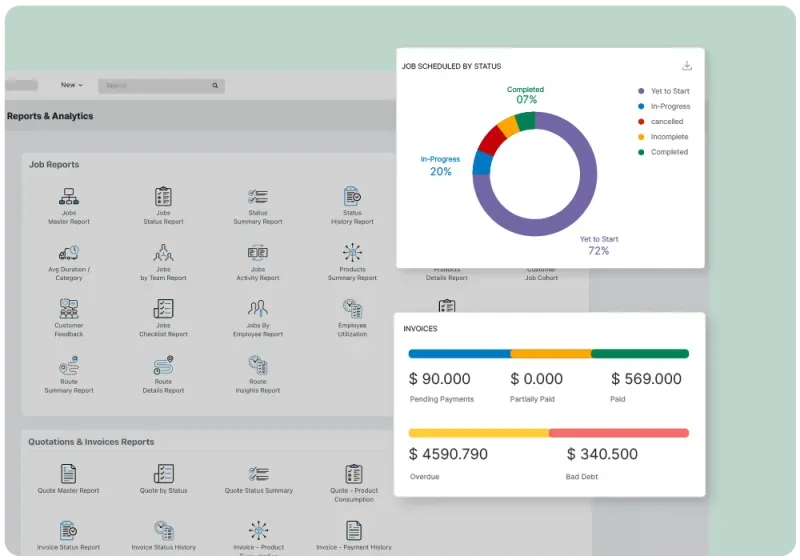
  • Without any extra effort, make data-driven decisions with Zuper’s 30+ out-of-box reports that reflect your custom workflows
  • Tailor the dashboard and get real-time insights into your customers’ feedback, revenue, parts utilizations, and more
  • Get real-time insights and optimize your operations from monitoring your team’s performance and customer service experience
  • Provide a transparent record of inspections and checklists completed by technicians for recurring work orders

Fast-Growing Service Organizations Love Zuper!

stpaulKArcherSaltPayVISail InternetPro VigilAugustaTeya

Learn More About Zuper Today

Frequently Asked Questions

Zuper’s work order management system integrates well with Zendesk Support CRM and Zendesk Sell platforms. The Zendesk Support integration enables companies to dispatch their field workforce to work on tickets in just a click. The Zendesk Sell integration, on the other hand, syncs work order updates with a Zendesk Sell deal and brings all customer data into one place.
No, Zuper work order management software is not seamlessly integrated with Salesforce. However, we have a custom integration which pushes Salesforce entries as Zuper jobs. This integration helps companies deliver excellent customer service experiences. In addition to pushing closed sales deals as new work orders, this integration helps create unified customer information across both interfaces.
Users who have permission to create work orders can create a new work order on the Zuper mobile app. Once they click on the job module, they can create a new work order by clicking on the + icon in the bottom right corner of the screen. After entering customer details and job details the user will be prompted to assign a technician and update information about parts and services consumed. Once all this information is filled out, a new work order can be created successfully by clicking on the “create job” button.
Zuper field service management software allows users to create work orders in desktop and mobile apps. Work orders are the heart of Zuper. Work orders are connected to customers, assets, properties, estimates, and invoices. Users can manage their existing work orders through the job module available in the desktop version and the Zuper mobile app. Users associated with the specific work order will be able to edit the work order, and others will have permission to view the work order.
There are four different work order types: preventive, corrective, scheduled, and Unscheduled. Preventive orders or maintenance are pre-planned tasks that are performed promptly to prevent equipment failure. This type of work order minimizes problems and keeps equipment up to speed. Corrective orders or breakdown repairs should be completed as soon as possible to minimize losses in production time and money. Scheduled work orders are for services that have been pre-approved and scheduled in advance. Unscheduled work orders are required as soon as customers discover problems.
The time it takes to create a work order depends on how well your team works together. To save yourself time and effort, make sure everyone involved in submitting a work order knows exactly what information is required, how to update the system fields, and when to expect their requests to be fulfilled.
Work order management systems help companies keep track of ongoing jobs and organize tasks so that everything gets done on time. Companies use work order management systems for scheduling and documenting their maintenance, repair, construction, and installation services. In short, it’s both a blueprint and a repository that stores all work orders in one place. Some work order systems are general-purpose, and others are specialized for certain types of businesses or industries. If you want to streamline your operations or improve the efficiency and productivity of your field workforce, one way to do that is by implementing an effective work order management system. ‍