Run Zuper from Anywhere
The Zuper mobile app puts everything your field crew needs in one place. They can manage jobs, document work, and collect payments on any device, whether they’re at the site or on the road.


Works Offline
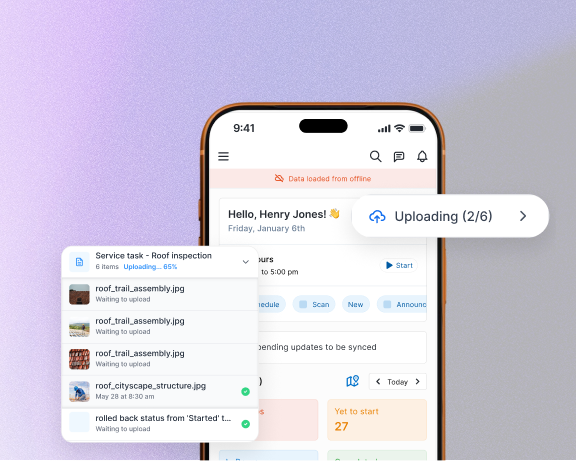
Keep working in areas with no signal and let the app sync everything once you're back online.
Speak, Don’t Type
Hands free checklists let your crews talk to fill out forms and notes instead of typing on a small screen.
Get Paid On Site
Collect payment before you leave with tap-to-pay, mobile check deposit, or a link sent to the homeowner’s phone.
Everything your crew needs to run their day, all in one app

Spend Less Time Planning and More Time on the Job
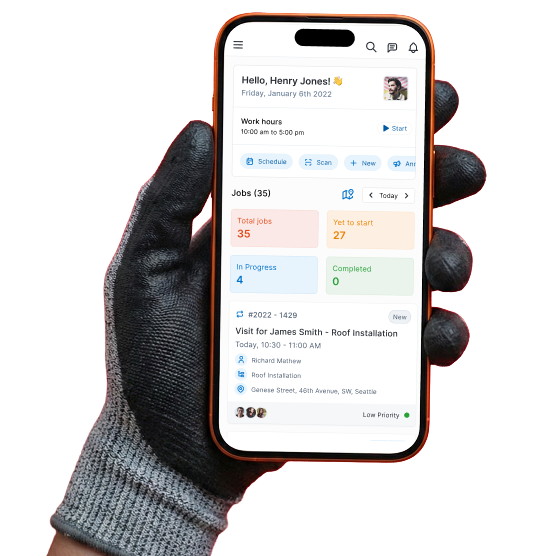
Crews start the day knowing exactly where to go, what to bring, and what the customer expects. Job details, directions, and customer history are one tap away. Status updates hit the office and Homeowner automatically, no check-in calls needed.
- Color-coded job cards show daily progress instantly
- Find the closest next job automatically
- Track travel, labor, and breaks without timesheets

Document the Job Without Slowing Down
Crews photograph damage, mark up exactly what needs attention, and add measurements right on the image. Instead of typing notes on a small screen, they talk, and Zuper's Field Agent turns it into clean, organized job notes that the office can act on immediately.
- Photos and notes linked to every job and documented
- Voice-to-text notes, less time on paperwork
- Before-and-after visuals for homeowners and adjusters

Get Paid on Site Instead of Chasing Invoices Later
When the work is done, crews generate an invoice and collect payment on the spot. Homeowners pay by tap, digital check, or link. The job closes, a satisfaction survey goes out, and the crew is already headed to the next one.
- Crews accept Apple Pay, Google Pay, and contactless cards right from their phone
- Snap photo of checks and deposit them digitally on the spot
- Closed jobs auto-trigger a satisfaction survey to build your reputation

Keep Working When the Signal Drops
Rural job sites and metal buildings don't stop your crew. Offline mode caches everything they need for jobs, including customer details, parts, and notes. Updates sync automatically the moment a connection comes back.
- Everything crews do offline is queued and synced automatically when signal returns
- Checklists, forms, photos, and notes all work offline so your crew never skips steps
- SOS feature sends GPS location and an alert to your emergency contact with a cluster-tap
Spend Less Time Planning and More Time on the Job
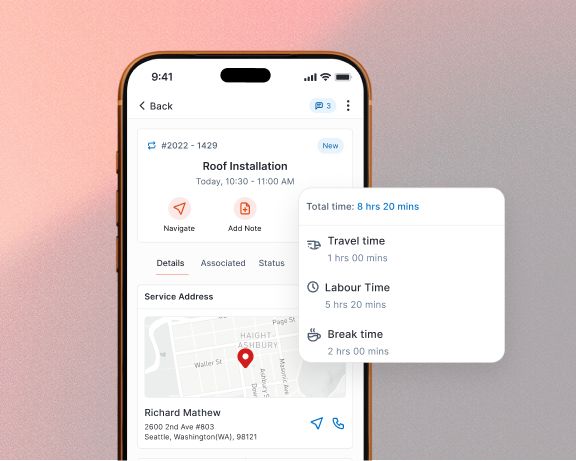
Crews start the day knowing exactly where to go, what to bring, and what the customer expects. Job details, directions, and customer history are one tap away. Status updates hit the office and Homeowner automatically, no check-in calls needed.
- Color-coded job cards show daily progress instantly
- Find the closest next job automatically
- Track travel, labor, and breaks without timesheets
Document the Job Without Slowing Down
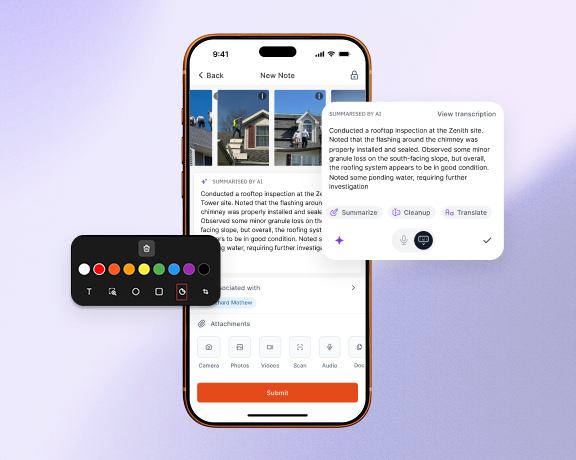
Crews photograph damage, mark up exactly what needs attention, and add measurements right on the image. Instead of typing notes on a small screen, they talk, and Zuper's Field Agent turns it into clean, organized job notes that the office can act on immediately.
- Photos and notes linked to every job and documented
- Voice-to-text notes, less time on paperwork
- Before-and-after visuals for homeowners and adjusters
Get Paid on Site Instead of Chasing Invoices Later
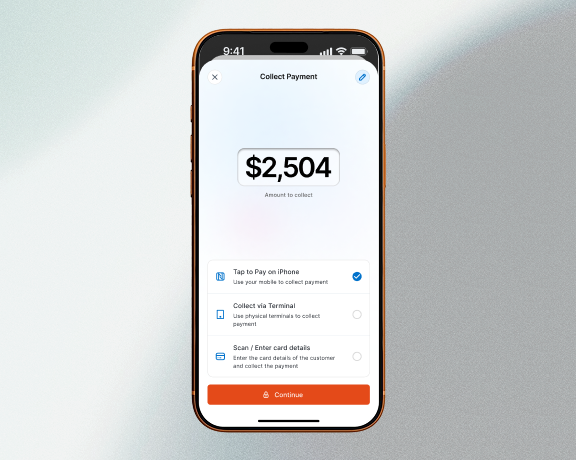
When the work is done, crews generate an invoice and collect payment on the spot. Homeowners pay by tap, digital check, or link. The job closes, a satisfaction survey goes out, and the crew is already headed to the next one.
- Crews accept Apple Pay, Google Pay, and contactless cards right from their phone
- Snap photo of checks and deposit them digitally on the spot
- Closed jobs auto-trigger a satisfaction survey to build your reputation
Keep Working When the Signal Drops
Rural job sites and metal buildings don't stop your crew. Offline mode caches everything they need for jobs, including customer details, parts, and notes. Updates sync automatically the moment a connection comes back.
- Everything crews do offline is queued and synced automatically when signal returns
- Checklists, forms, photos, and notes all work offline so your crew never skips steps
- SOS feature sends GPS location and an alert to your emergency contact with a cluster-tap

"It’s like having a project manager on every roof."
Our guys used to hate paperwork. Now, they just talk while they work. We’ve seen a 40% drop in missing compliance photos since switching to Voice AI.
Lisa Crocker
Chief Administrative Officer
Introducing Zuper AI Glass
Introducing the first AI-powered smart glasses built for the skilled trades.
Learn More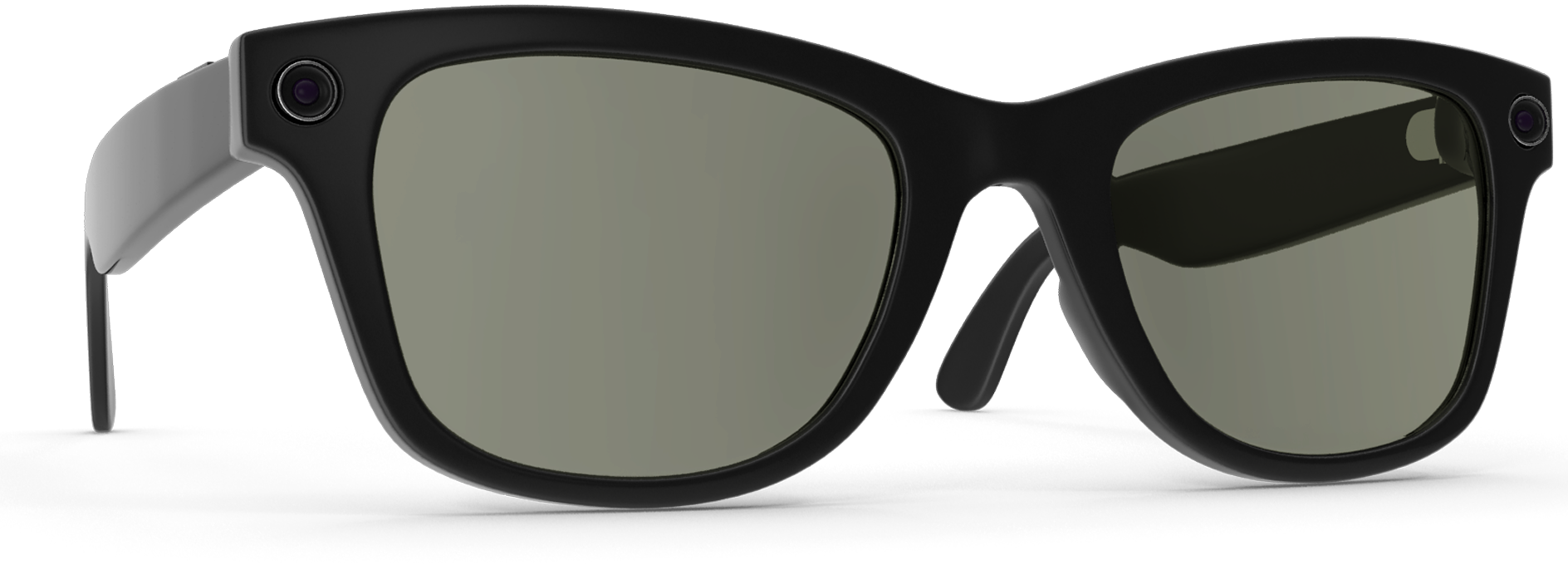

See how Zuper’s mobile app can work for your team
Get a personalized walkthrough and see how your roofing crews can manage jobs, document work, and get paid from one app.